
WhatsApp Authentication API: How to Implement OTP and 2FA
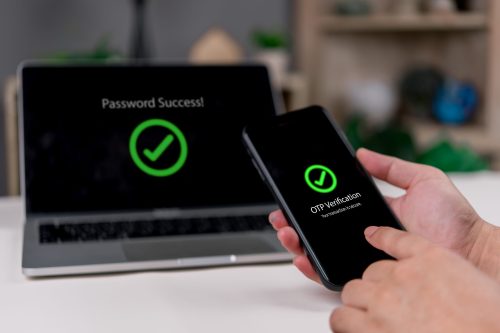
A WhatsApp Authentication API lets your application use WhatsApp as the messaging channel within an end-user authentication flow. Instead of treating WhatsApp as the system that decides whether a user is authenticated, your application uses it to deliver an Authentication message, such as a one-time verification code, while your own authentication logic manages the verification challenge and determines whether it succeeds.
With the MoceanAPI WhatsApp API, developers can send supported WhatsApp Authentication templates programmatically. MoceanAPI provides the WhatsApp messaging layer; your business application remains responsible for user identity, challenge management and verification logic.
What Is a WhatsApp Authentication API?
A WhatsApp Authentication API allows a backend application to send authentication messages through WhatsApp as part of a login, verification or two-factor authentication workflow.
WhatsApp defines Authentication as a dedicated template category for one-time passwords and verification codes. Its Authentication templates use predefined structures rather than unrestricted message content. Meta’s official documentation currently describes authentication templates as the required template type when an application offers users the option to receive one-time passwords or verification codes through WhatsApp.
For a developer, the important distinction is simple:
WhatsApp transports the authentication message. Your application decides whether authentication succeeds.
A typical architecture looks like this:
User requests authentication
→ business application creates or manages the challenge
→ backend prepares an approved WhatsApp Authentication message
→ backend calls MoceanAPI
→ MoceanAPI sends the template through WhatsApp
→ user receives or interacts with the authentication experience
→ business application validates the challenge
→ application permits or rejects the protected action
This makes a WhatsApp OTP flow part of your authentication architecture rather than a replacement for it.
The WhatsApp API does not replace these systems. Instead, it allows an application or backend to participate in WhatsApp messaging.
A useful high-level model is:
enterprise system → business logic → WhatsApp messaging API → WhatsApp user
For events moving back into the organisation:
delivery event or customer response → webhook → enterprise backend → business system
MoceanAPI documents outbound sending as well as inbound WhatsApp messaging and delivery-event webhooks, making this two-way pattern possible at the API level.
Where Can Enterprises Use WhatsApp Business API?
Clear responsibility boundaries are essential when building a WhatsApp OTP verification API workflow.
Component | Main responsibility |
Business application / authentication system | User identification, challenge generation or management, expiry policy, attempt handling, verification and protected actions |
Backend | Secure API credentials, template selection, messaging request, API result handling and application integration |
MoceanAPI | Documented WhatsApp messaging, Authentication-template support and API access |
WhatsApp / Meta | WhatsApp platform behaviour, Authentication-template rules and supported authentication experiences |
Your business application owns the authentication challenge
Your application decides when authentication is required and which user or account the attempt belongs to.
Depending on your authentication design, application-side responsibilities can include:
- generating or managing the verification challenge;
- associating it with the correct account;
- deciding how long it remains valid;
- controlling attempts and resends;
- preventing replay or abuse;
- checking the user-provided result;
- deciding whether authentication succeeded;
- permitting or rejecting the requested action.
These are application-side authentication responsibilities. They should not be attributed to MoceanAPI unless the current documentation specifically establishes otherwise.
Your backend connects authentication logic to WhatsApp
The backend acts as the bridge between your authentication system and MoceanAPI.
It should securely hold the API credential, identify the appropriate Authentication template, prepare the messaging request and connect the resulting messaging activity with your application’s authentication process.
For exact request parameters and current API syntax, use the MoceanAPI API documentation rather than hard-coding reference details from an older implementation guide.
MoceanAPI provides the messaging layer
Current MoceanAPI documentation supports WhatsApp template messaging and identifies AUTHENTICATION among its template categories. It also documents Authentication-specific OTP button types including COPY_CODE, ONE_TAP and ZERO_TAP.
That does not mean the WhatsApp product becomes your user database, identity provider, fraud engine or session-management system.
WhatsApp User Authentication vs MoceanAPI API Authentication
These are two different meanings of the word “authentication”.
Do not confuse WhatsApp Authentication with MoceanAPI API authentication. WhatsApp Authentication concerns verifying the business’s end user, while the Bearer API token authorises the business’s backend to call MoceanAPI.
WhatsApp user authentication
This is the subject of this guide.
The user receives a WhatsApp Authentication template containing or supporting a verification code, and your application uses the resulting authentication interaction within its user-verification process.
MoceanAPI API authentication
This controls access to the API itself.
Current MoceanAPI /docs states that API Tokens are the authentication method for requests and demonstrates the Authorization: Bearer API_TOKEN_HERE header. Tokens are generated through the MoceanAPI Dashboard and should be stored securely.
The Bearer token authenticates your backend to MoceanAPI. It does not authenticate your end user.
What Are WhatsApp Authentication Templates?
WhatsApp authentication templates are specialised message templates intended for verification and authentication use cases such as delivering one-time passcodes.
MoceanAPI’s official support guidance describes them as templates commonly used by businesses for verification purposes, including one-time passcodes, with restricted predefined structures.
Meta currently documents Authentication templates as containing preset verification-code content, with optional security and expiration wording and supported Authentication actions.
Because Authentication templates have controlled structures, they should not be treated like ordinary promotional or free-form messages.
The complete template lifecycle—creation, review, approval, editing and deletion—is a separate implementation concern. Here, what matters is that your authentication flow uses an appropriate approved Authentication template before relying on it in production.
Copy Code, One Tap and Zero Tap
MoceanAPI’s current documentation lists three Authentication OTP types:
- COPY_CODE
- ONE_TAP
- ZERO_TAP
Each provides a different user experience.
Copy Code
Copy Code gives the user an explicit action for copying the authentication code from the WhatsApp message.
MoceanAPI currently documents the behaviour as copying the supplied string to the device clipboard when the user taps the Copy Code action. Meta similarly describes the user copying the code before returning to the application and pasting it.
This is a straightforward option when you want to reduce transcription effort while keeping the verification step visible to the user.
One Tap
One Tap aims to reduce manual code entry by linking the Authentication experience more closely with the associated mobile application.
Meta’s current documentation says a one-tap autofill button can open the associated application and deliver the code to it. The currently available Meta documentation describes One Tap as supported on Android and requiring additional application integration.
MoceanAPI currently exposes app-identification information for this type, including supported application details such as package name and signature hash.
Because app and platform requirements can change, developers should verify the current Meta requirements before implementation rather than assuming One Tap works on every operating system or device.
Zero Tap
Zero Tap is designed to reduce user interaction further where the application and platform support the required integration.
Meta currently describes Zero Tap as allowing an application to receive the verification code through an integrated application flow without requiring the user to leave the app.
MoceanAPI’s current documentation also exposes ZERO_TAP together with supported-app configuration information.
Do not assume Zero Tap works universally. Device compatibility, application integration and current platform requirements should always be checked against the latest Meta documentation before deployment.
You can review Meta’s current WhatsApp Authentication Templates documentation for the platform-level requirements.
How a WhatsApp OTP Flow Works With MoceanAPI
A practical WhatsApp OTP API implementation can follow this sequence.
- The user initiates a protected action. This could be login, account confirmation, recovery or another operation your application decides should require verification.
- Your application determines authentication is required. It identifies the correct user and authentication context.
- Your authentication logic creates or manages the verification challenge. Your system owns the challenge and its validity rules.
- The backend selects the applicable approved WhatsApp Authentication template. The template and authentication attempt are connected using your application logic.
- The backend authenticates to MoceanAPI. Current MoceanAPI requests use a Bearer API token.
- MoceanAPI sends the supported Authentication message through WhatsApp. MoceanAPI acts as the programmable messaging layer.
- The user receives and interacts with the Authentication experience. The exact experience depends on the applicable template and supported authentication action.
- Your application receives or processes the user’s verification result as applicable. That may involve user input or an integrated application experience.
- Your authentication logic checks whether the challenge is valid. The business application—not WhatsApp message delivery—determines success.
- The application permits or rejects the protected action. Only the application should decide whether the user proceeds.
The key architecture rule is that MoceanAPI should not be described as generating, storing or validating your OTP unless current MoceanAPI WhatsApp documentation explicitly establishes that behaviour.
Message Delivery Is Not Authentication Success
This distinction matters in every WhatsApp authentication implementation:
Message sent ≠ user authenticated
Message delivered ≠ user authenticated
Message read ≠ user authenticated
Messaging events describe what happened to the WhatsApp message.
Authentication status describes whether your application’s verification requirements were satisfied.
A delivered OTP could still be:
- unused;
- entered incorrectly;
- expired according to your application policy;
- associated with an invalid attempt;
- rejected by your verification logic.
Your application should therefore keep the messaging lifecycle separate from the authentication lifecycle.
Security Considerations for WhatsApp OTP and 2FA
Authentication messages deal with sensitive account actions, so the surrounding application should be designed accordingly.
Keep the Bearer API token server-side
Do not expose the MoceanAPI API token in browser JavaScript, public repositories or other client-side environments where users could retrieve it.
Authenticated MoceanAPI requests should come from an appropriate server-side environment.
Treat verification challenges as sensitive
Your authentication system should consider controls such as:
- short-lived challenges;
- attempt controls;
- resend controls;
- replay prevention;
- abuse or rate controls;
- appropriate audit logging.
These are general application-security considerations, not claims about built-in MoceanAPI WhatsApp functionality.
Exact OTP lifetime, retry limits, lockout thresholds or rate limits should not be attributed to the WhatsApp API unless specifically documented.
Businesses should also review the current official WhatsApp Business Messaging Policy alongside the technical Authentication documentation. WhatsApp’s policy places responsibility on businesses to handle user information appropriately, follow applicable laws and permissions, and comply with current platform requirements.
Avoid logging sensitive authentication data unnecessarily
Operational logs should provide enough information to diagnose problems without unnecessarily recording credentials, verification codes or sensitive authentication state.
Where WhatsApp 2FA Can Fit
A WhatsApp API for two-factor authentication can support several application-controlled scenarios.
Login verification
After a user submits their normal login credentials, the application can require an additional WhatsApp authentication step before granting access.
Account registration or confirmation
WhatsApp can carry a verification message where the application wants to confirm control of the relevant contact channel as part of registration.
Sensitive account actions
Your application may require a new WhatsApp OTP before allowing a high-risk or important account action.
Account recovery
WhatsApp can participate in an application-designed recovery process where appropriate, provided your security design determines that the channel is suitable.
Two-factor authentication journeys
For 2FA through the WhatsApp API, WhatsApp provides the messaging channel for the authentication experience while your own system controls the authentication decision and protected session or account action.
WhatsApp Authentication vs a Generic OTP API
This guide is specifically about WhatsApp Authentication.
It covers using Authentication templates, WhatsApp OTP messaging and WhatsApp-specific authentication experiences inside your application’s verification flow.
If your requirement is broader and channel-neutral rather than specifically WhatsApp-based, MoceanAPI’s Verify API is a separate product area. Current MoceanAPI documentation describes Verify as a service that can generate and validate verification codes over its supported verification channels; those capabilities should not be assumed to belong to the WhatsApp API described in this article.
Build WhatsApp Authentication Into Your Application
A successful WhatsApp authentication implementation depends on keeping responsibilities clear.
MoceanAPI provides the programmable WhatsApp messaging layer and documented Authentication-template capabilities. Your backend securely connects your application to that messaging layer. WhatsApp provides the end-user messaging experience. Your business application remains responsible for user identity, challenge management and the final authentication decision.
Explore the MoceanAPI WhatsApp API to evaluate WhatsApp messaging for authentication and other application-driven communication.
When you are ready to implement the current Authentication message structure, Bearer authentication and template requirements, review the MoceanAPI WhatsApp API documentation.
A successful WhatsApp authentication implementation depends on keeping responsibilities clear.
MoceanAPI provides the programmable WhatsApp messaging layer and documented Authentication-template capabilities. Your backend securely connects your application to that messaging layer. WhatsApp provides the end-user messaging experience. Your business application remains responsible for user identity, challenge management and the final authentication decision.
Explore the MoceanAPI WhatsApp API to evaluate WhatsApp messaging for authentication and other application-driven communication.
When you are ready to implement the current Authentication message structure, Bearer authentication and template requirements, review the MoceanAPI WhatsApp API documentation.

Frequently Asked Questions (FAQS )
For the WhatsApp API flow described here, your business application should own the verification challenge and determine whether it is valid. Current MoceanAPI WhatsApp documentation establishes the messaging and Authentication-template capabilities, not a WhatsApp-specific MoceanAPI service that generates and validates your application's OTP.
No. Delivery only describes the messaging lifecycle. Your application must separately determine whether the user successfully completed the authentication challenge.
Copy Code lets the user copy the verification code and return to the application. One Tap integrates more closely with a supported application to reduce manual entry, while Zero Tap aims to minimise user interaction further where current platform and application requirements are met. Support is not universal, so current Meta requirements should be checked before implementation.
WhatsApp Authentication is about verifying your application's end user. Bearer authentication is how your backend proves it is authorised to make MoceanAPI API requests.
Use WhatsApp Authentication when your implementation specifically requires WhatsApp Authentication templates and WhatsApp as the authentication-message channel. If you need MoceanAPI's broader channel-neutral verification functionality, evaluate the separate Verify API instead.